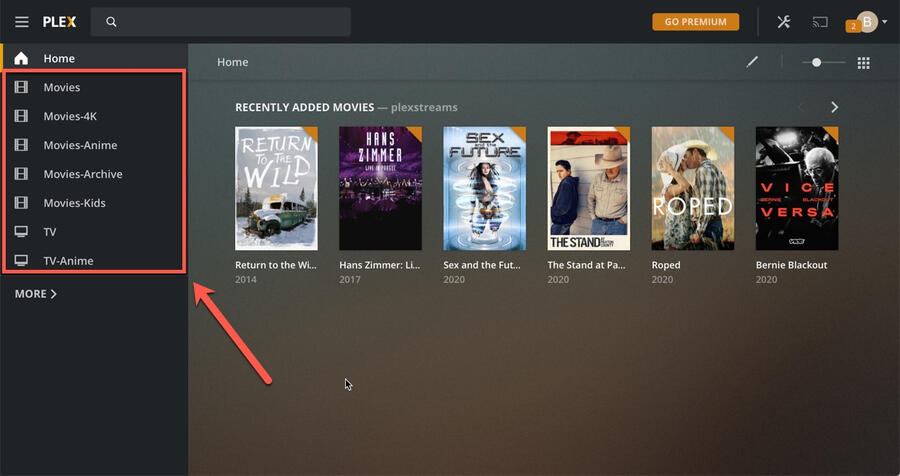
How to set up Plex
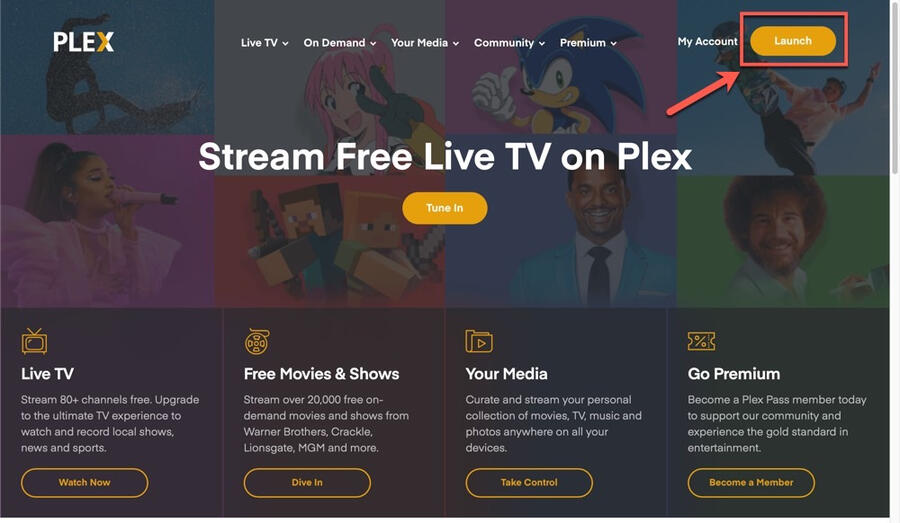
1. Go to https://plex.tv and login with your Plex account
2. Open the Plex Web app by clicking on the Launch button
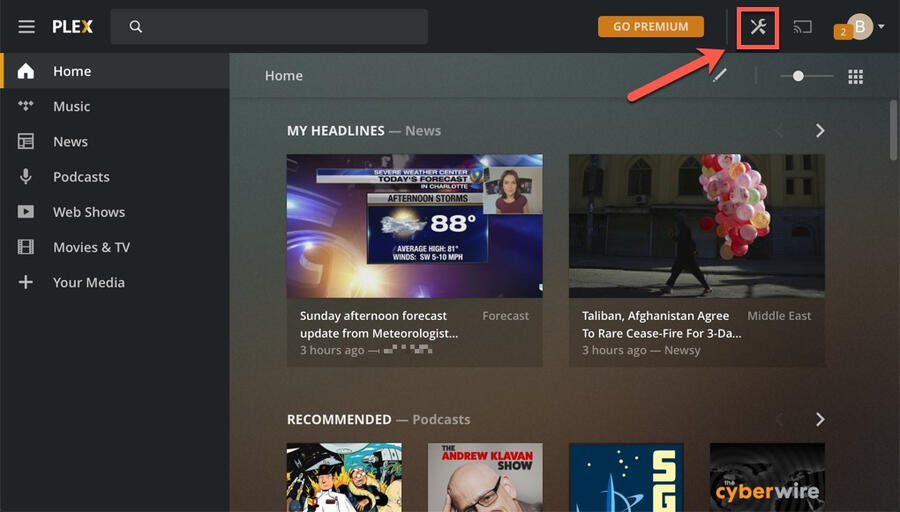
3. Open Settings by clicking on the wrench icon in the top right
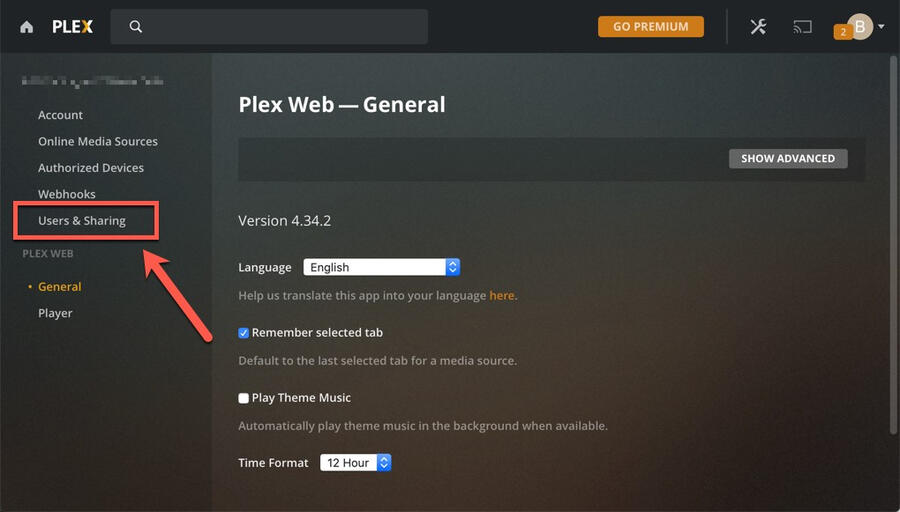
4. Click on Home & Library Access link on the left
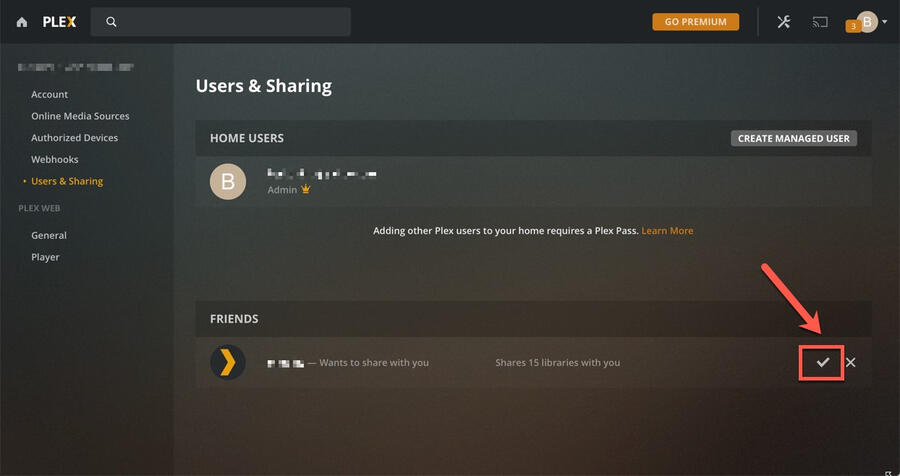
5. Under the FRIENDS section, you will find your invite. Click on the checkmark to accept it
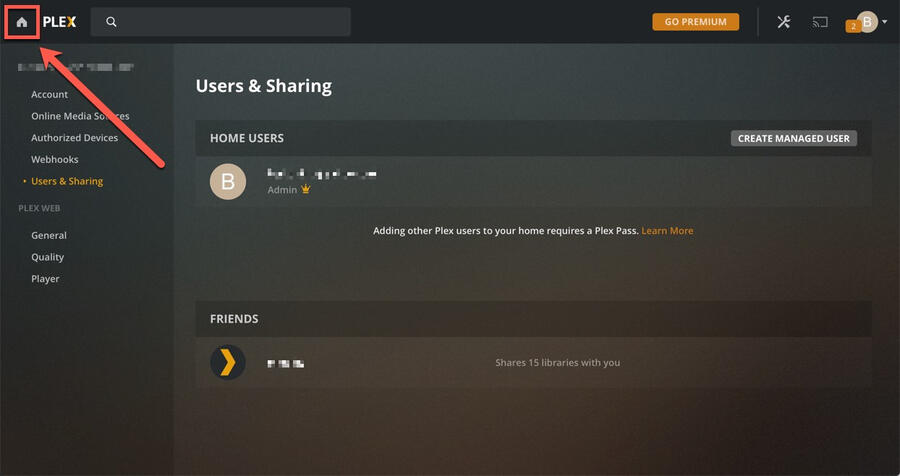
6. Click on the HOME button to get back to the home page
7. Unpin sections offered by Plex to avoid confussion. Plex offers free, ad-supported content consisting mainly of old movies (more info here). If you so choose, you can always pin them back or find them under MORE link8. To unpin a section, hover your mouse on the section to reveal three vertical dots, click on the dots and click on Unpin. Repeat this for all libraries on the home page
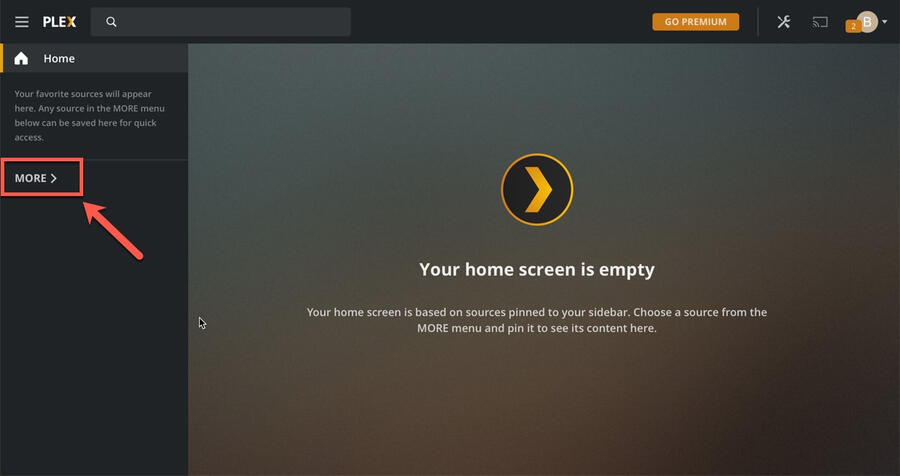
9. Click on the MORE button to find the server that was shared with you
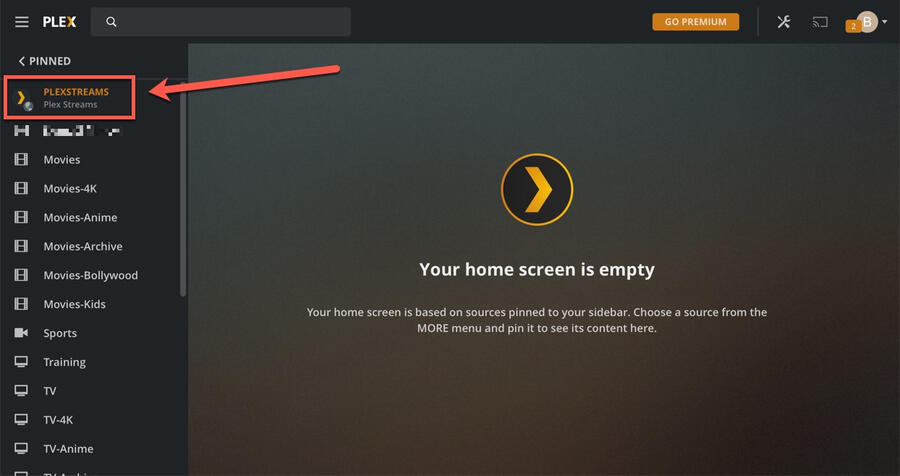
10. Please note that the server name can be different depending on which server you were added
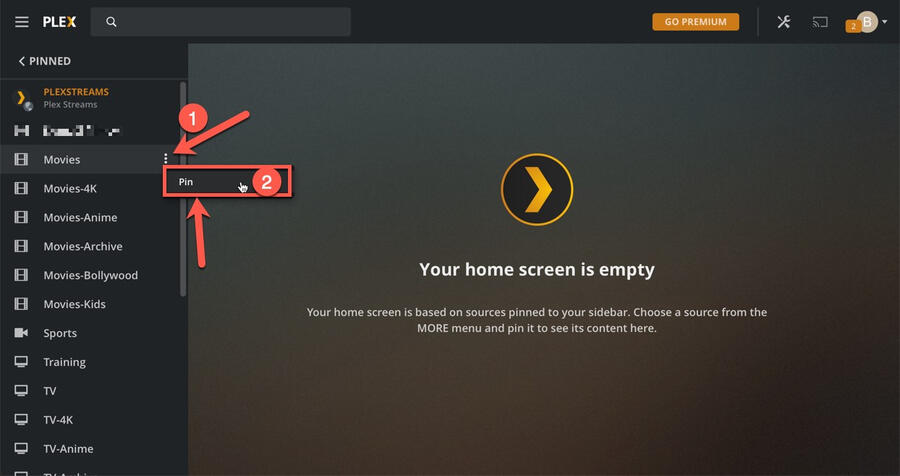
11. Pin libraries you are interested in. To do so, hover your mouse on the section to reveal three vertical dots, click on the dots and click on Pin
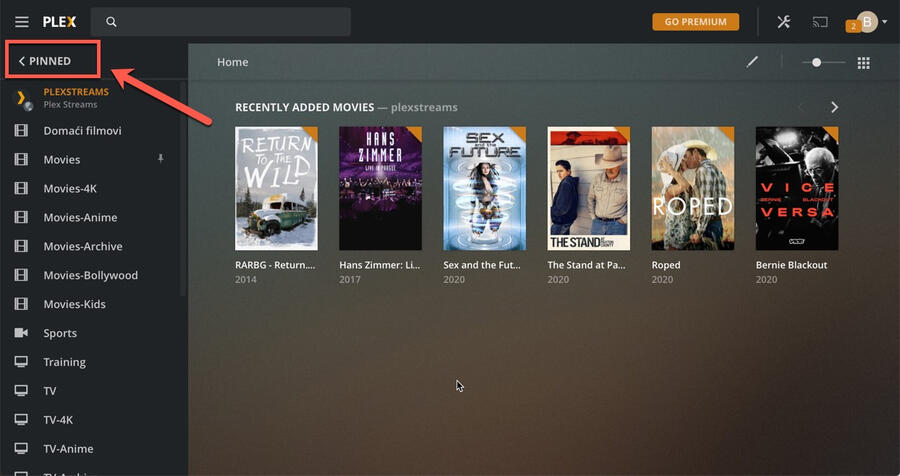
12. You should see your pinned libraries listed on the home page